Delete registry
Delete registry entries that are no longer needed.
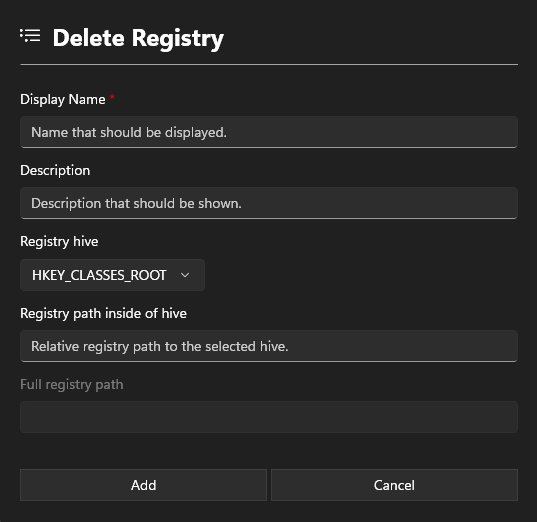
Information section
Display Name
Add an Displayname. This name will show in the App configurations.
Description
The description is also displayed in the App configurations and may contain information about the software.
Path section
Registry hive
Specify the hive in which you want to delete an entry.
Registry path
Enter the path of the registry entry to be deleted, excluding the hive.
info
Example:
Software\Autodesk\Inventor\RegistryVersion29.0
Full registry path
Displays the entire path that has been selected.